
Each story on the days it is scheduled — as long as its points.
Time runs down the left, day by day, a band for each sprint — the current one highlighted, with a line for today. Each user story is a bar from the day it starts to the day it should be finished: the more points, the longer the bar. The sprint's people work through its stories in rank order, so a story assigned to someone waits until they are free, and a story that depends on others starts only when they are finished. Stories still in the backlog sit under “Not scheduled”. Finished sprints can be left out, or the last three or all of them shown.
- A day per point comes from the sprint's length and each person's share of its capacity.
- A bar with a red border finishes after its sprint ends; work that runs past the last sprint shows under “After the last sprint”.
- Hover over a story for when it starts and finishes and what it waits for.
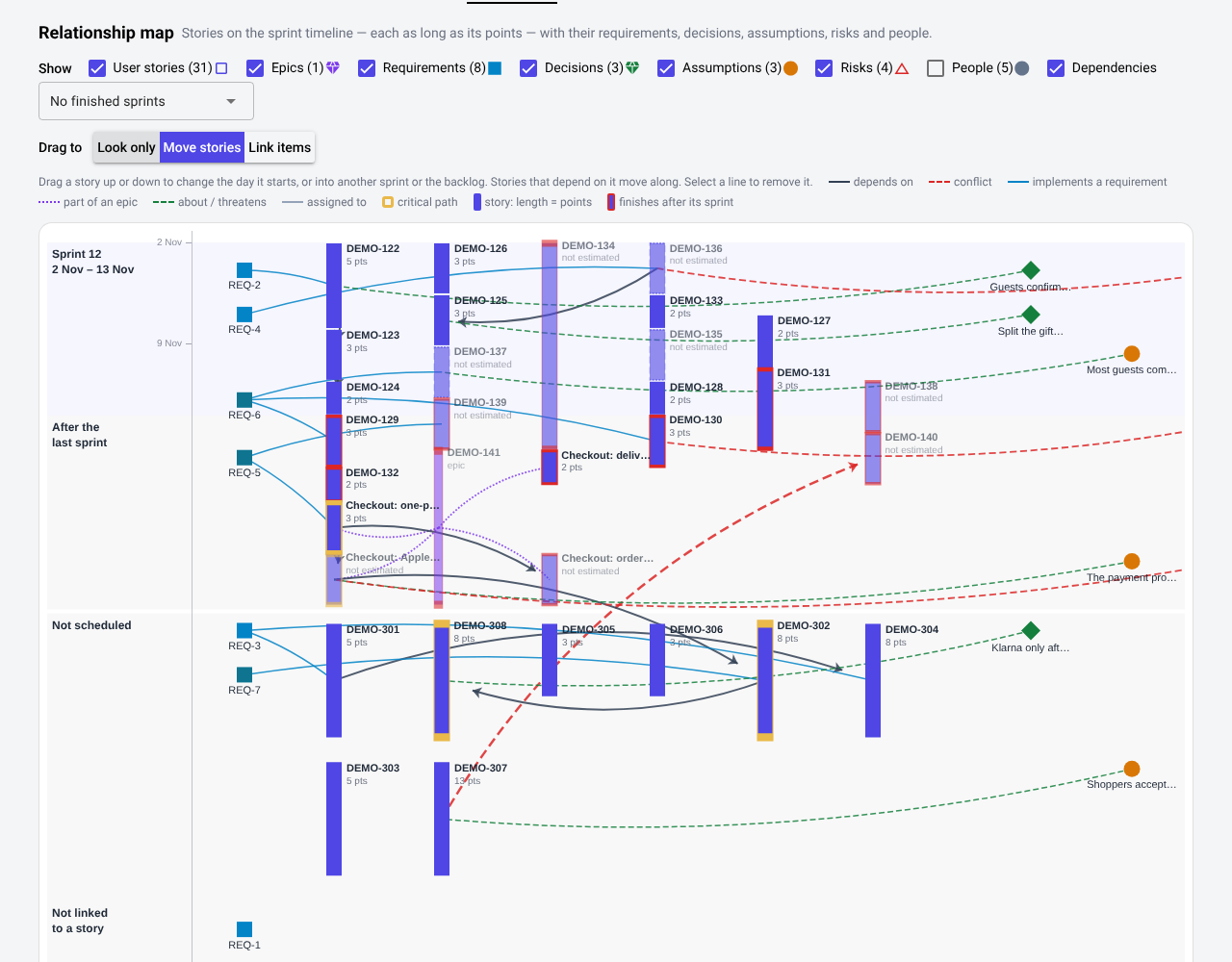
Reschedule and relink right on the map.
Choose what dragging does: Move stories, Link items or Look only.
- Move stories — drag a story up or down to change the day it starts, into another sprint, or back to the backlog. The stories that depend on it move along; if it cannot start on the day you chose, the message says what it is waiting for.
- Link items — drag a story onto a story it must come before, an epic onto one of its parts, or a requirement, decision, assumption, risk or person onto a story.
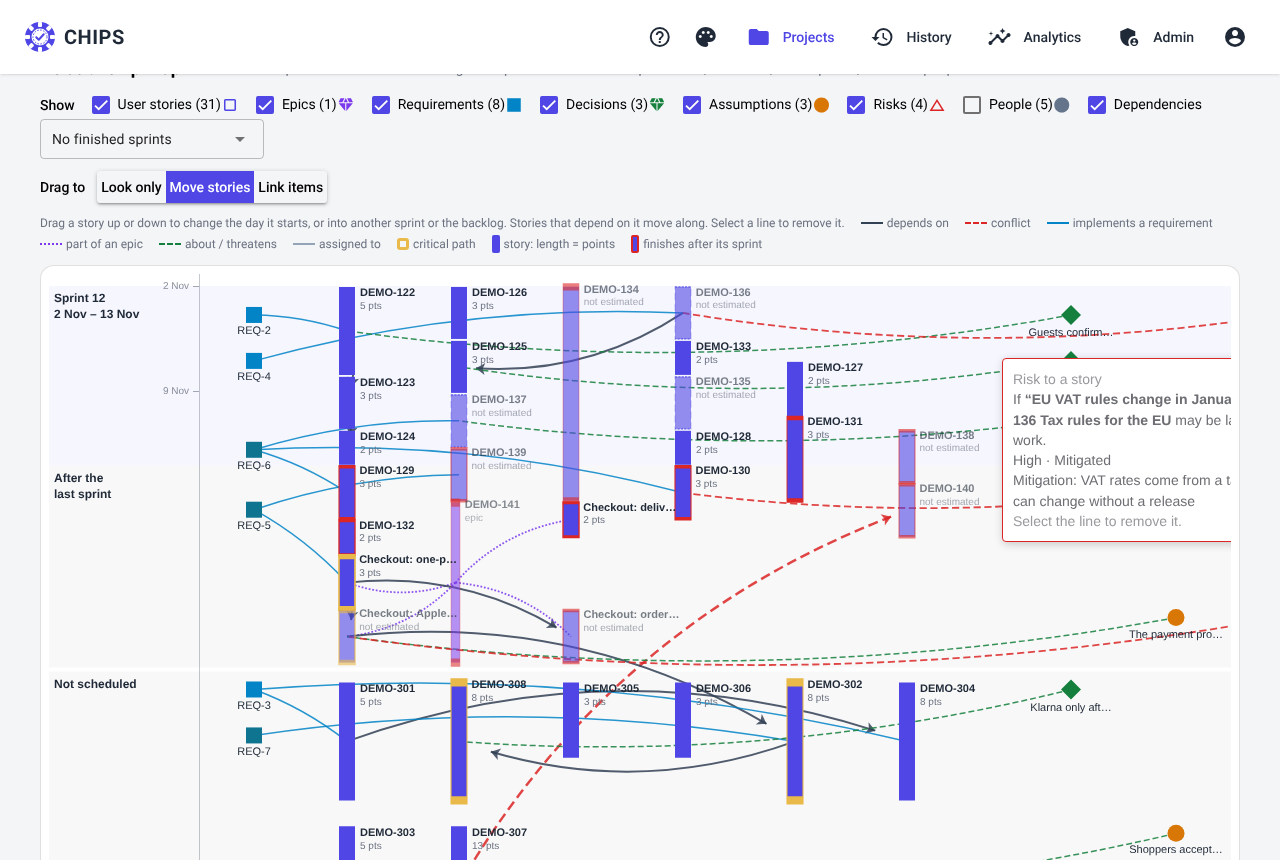
- Select a line to see what it means and remove it; a dependency can be reversed.
- Every change has an Undo.
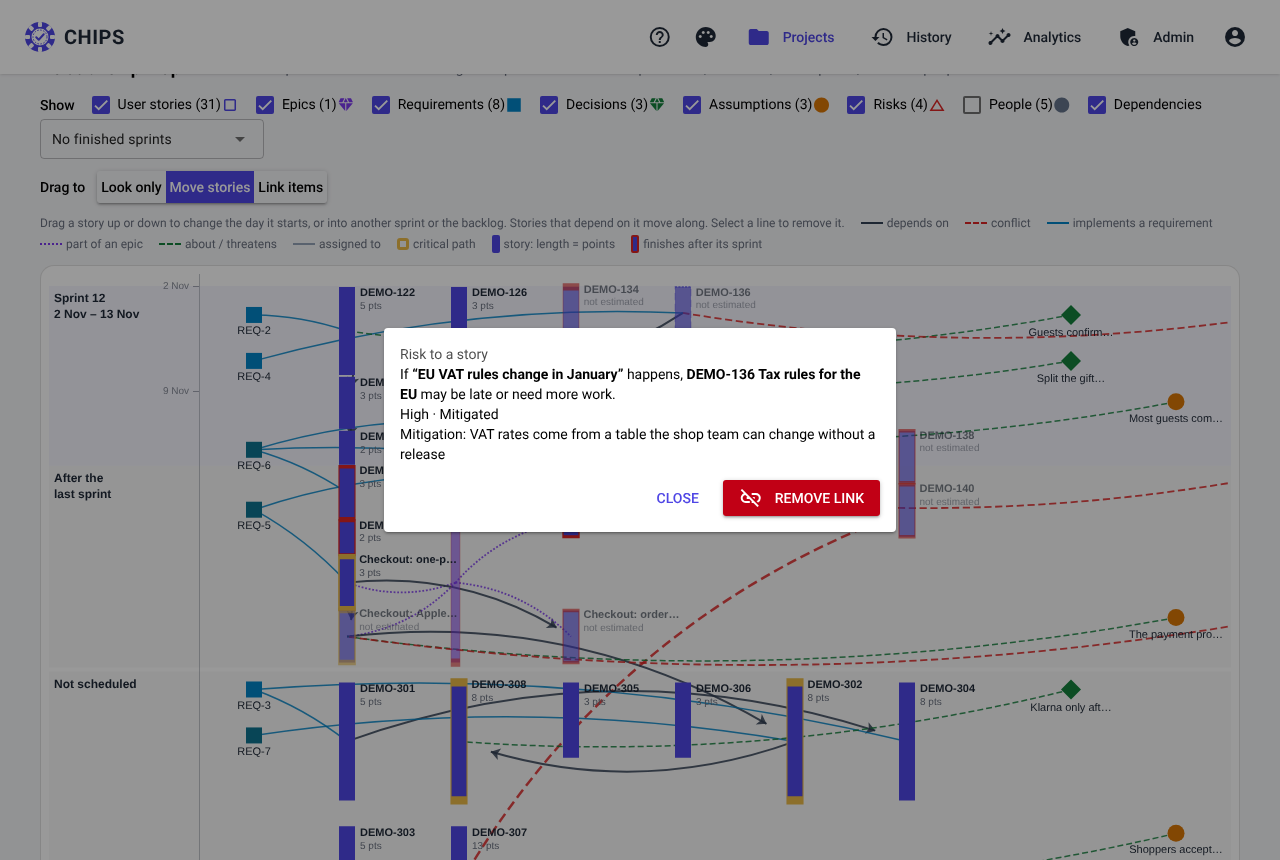
Dependencies, deliveries, decisions and risks — drawn.
- Arrows from a story to the stories that need it. When a dependency is planned in the wrong order — the story that must come first is in a later sprint or still in the backlog — the arrow is red and dashed.
- Requirements (left) are linked to the stories that implement them; non-functional ones are a darker blue.
- Decisions and assumptions (right) are linked to the story they are about; risks to the stories they threaten, coloured by severity.
- Epics are linked to their parts by dotted lines; people to the stories assigned to them.
- Stories on the critical path have a gold border; delivered stories are grey.
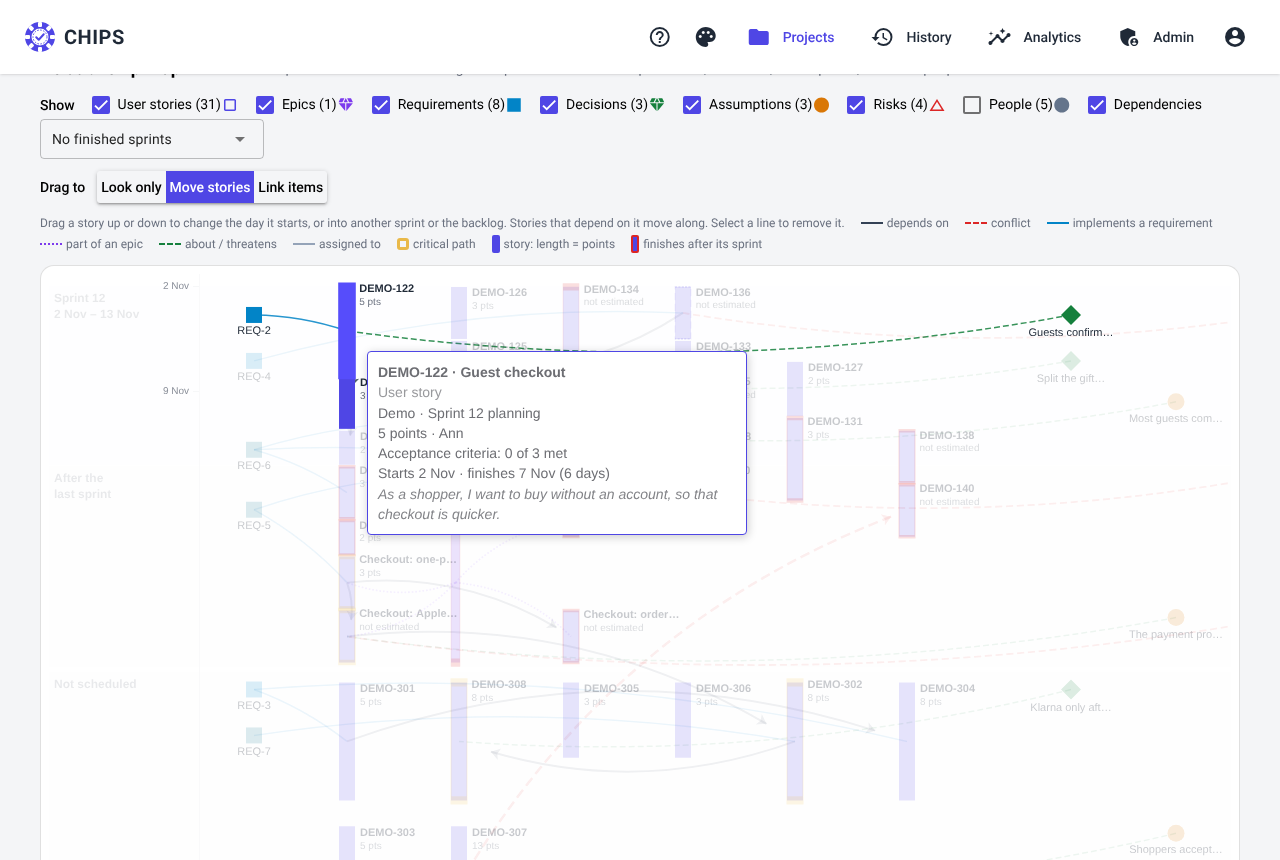
Everything about a story, without leaving the map.
Hover over a story to see its description, sprint, points, owner, acceptance criteria met, due date and whether it is on the critical path; everything linked to it stays bright while the rest fades. Select it to open its planning details — criteria, dependencies, requirements and dates.
As busy or as calm as you need.
A box for each kind of item — user stories, epics, requirements, decisions, assumptions, risks, people — and one for the dependencies. Turning one off never moves anything else, so the picture stays familiar. People and finished sprints start hidden.
- Link a decision or an assumption to its story when you record it, in the room or on the Decisions page.
- The same data is available from the REST API:
GET /api/v1/projects/{id}/map; changes withPOST/DELETE /api/v1/projects/{id}/map/linksandPUT /api/v1/stories/{id}/schedule.