Join and record
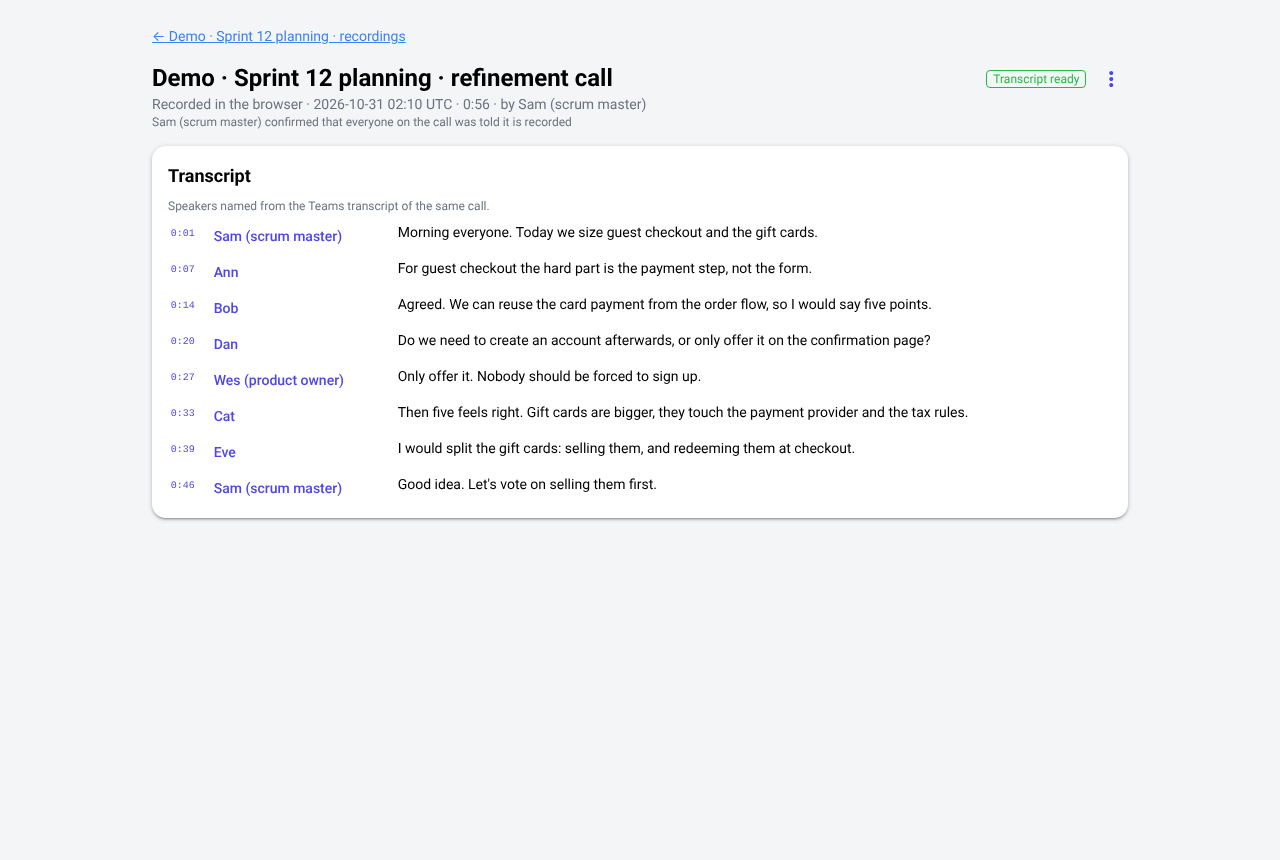
One click to join; recording only with consent.
- Join the room's meeting from the room, or dial in with one tap on a phone (number and PIN).
- Choose per room whether calls are recorded: never, ask each time, in the scrum master's browser, with the meeting's own recording, or both.
- Recording starts only after the scrum master confirms everyone was told, and everyone in the room sees that it is running.
- English calls are transcribed on your own server. The audio never leaves it.
Named transcripts Enterprise
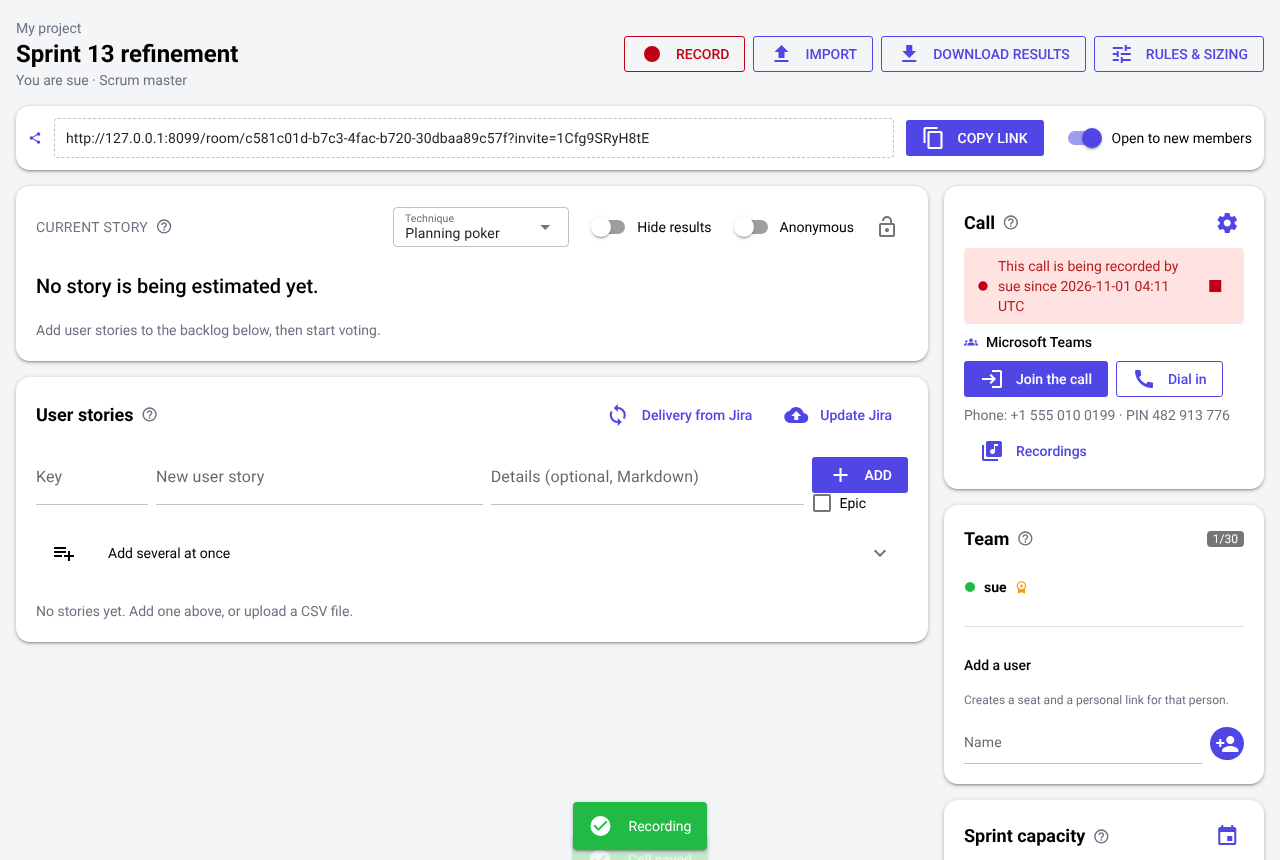
Every line with a name.
- Connect Microsoft 365 or Google, or add your organisation's Zoom app, and CHIPS creates the room's meeting for you.
- After the call, CHIPS reads the meeting's own transcript and lines it up with its recording, so each line gets the speaker's name, matched to their CHIPS account.
- Play from any line, correct a name by hand, and download the transcript as text, subtitles or CSV.